Write copy, build funnels and create images with AI
Let AI do the first draft, then make it yours.
1 min read · updated 1 October 2026
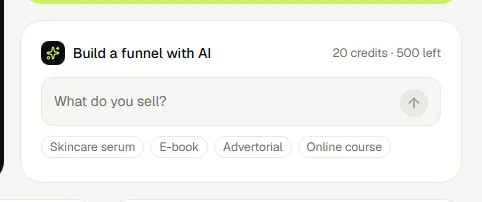
Build a whole funnel
Describe your product in the box on Get started, or go to Funnels → New funnel → Build with AI. AI writes every page with the same blocks as the editor, so you can change anything afterwards.
Rewrite a block
Select a block in the editor and press Rewrite with AI on the right. Pick a quick instruction (more persuasive, shorter, more urgency, a translation) or say what you want. Only the text changes; links, images and colours stay as they are. Don't like it? Press Ctrl+Z.
Create an image
Every image field in the editor has a sparkles button. Describe the image, pick a style (product photo, lifestyle, flat lay, illustration or background) and a shape, and press Generate. The image is stored with your other uploads.
Suggestions from your numbers
On a funnel page, AI suggestions reads the last 30 days and tells you where the biggest drop-off is and what to change first.
Was this guide helpful?
Try it in your own store
Free for 14 days. Every feature, no credit card.