Use your own domain
Run funnels on shop.yourbrand.com.
1 min read · updated 1 October 2026
Every funnel works on its FunnelOne address right away. To use your own domain:
- Go to Settings → Domains and add a domain, for example shop.yourbrand.com.
- At your domain provider, add the DNS record shown on that page (a CNAME for subdomains).
- Wait until the domain shows Connected. DNS changes can take a few minutes to a few hours.
!Settings → Domains
4. Open the funnel, go to Settings and choose the domain under Custom domain.
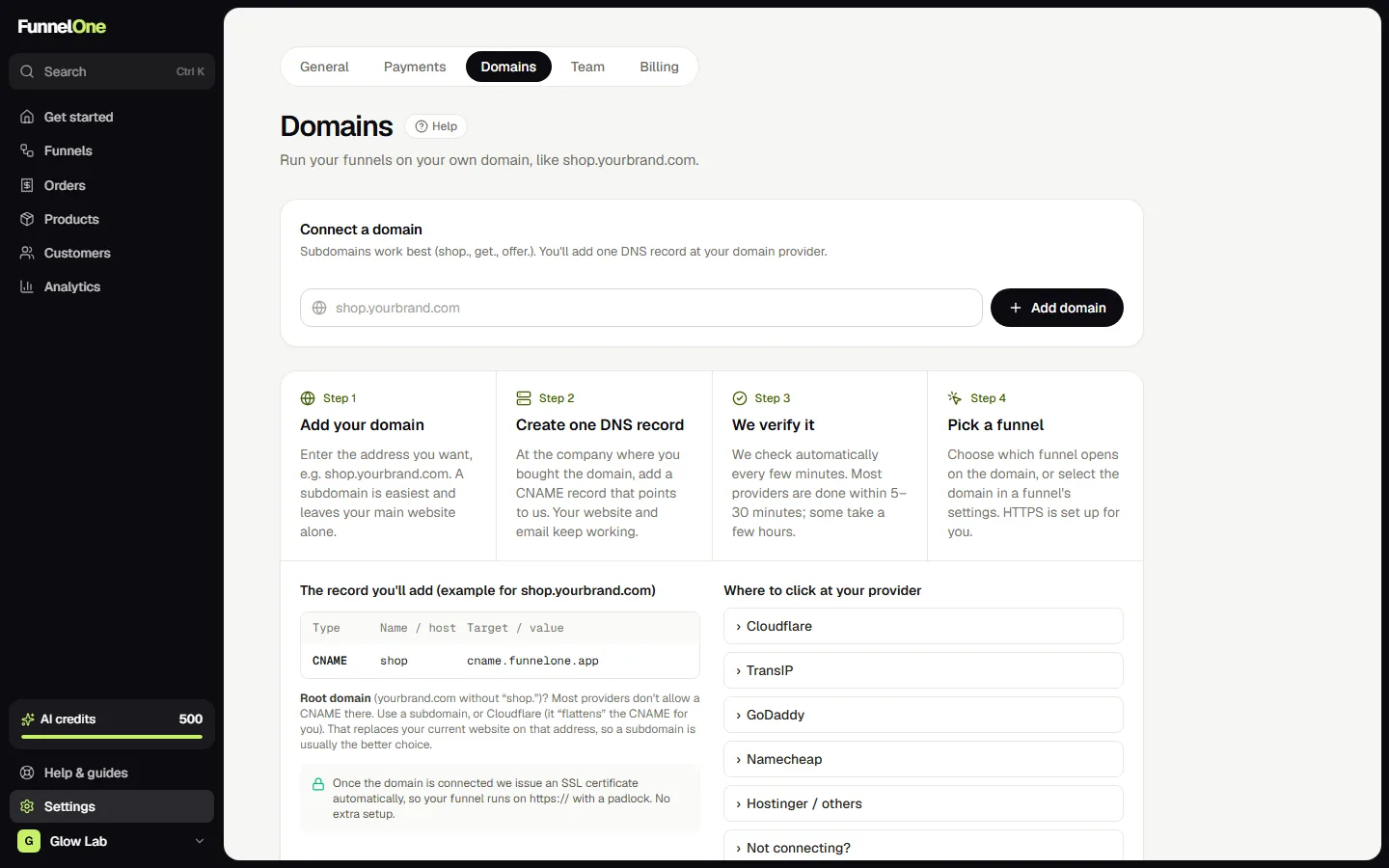
Tip: a subdomain like shop. or try. is easiest, because your main website keeps running as it is.
Was this guide helpful?
Try it in your own store
Free for 14 days. Every feature, no credit card.