Your team and permissions
Invite people and decide what each of them can see and do.
1 min read · updated 1 October 2026
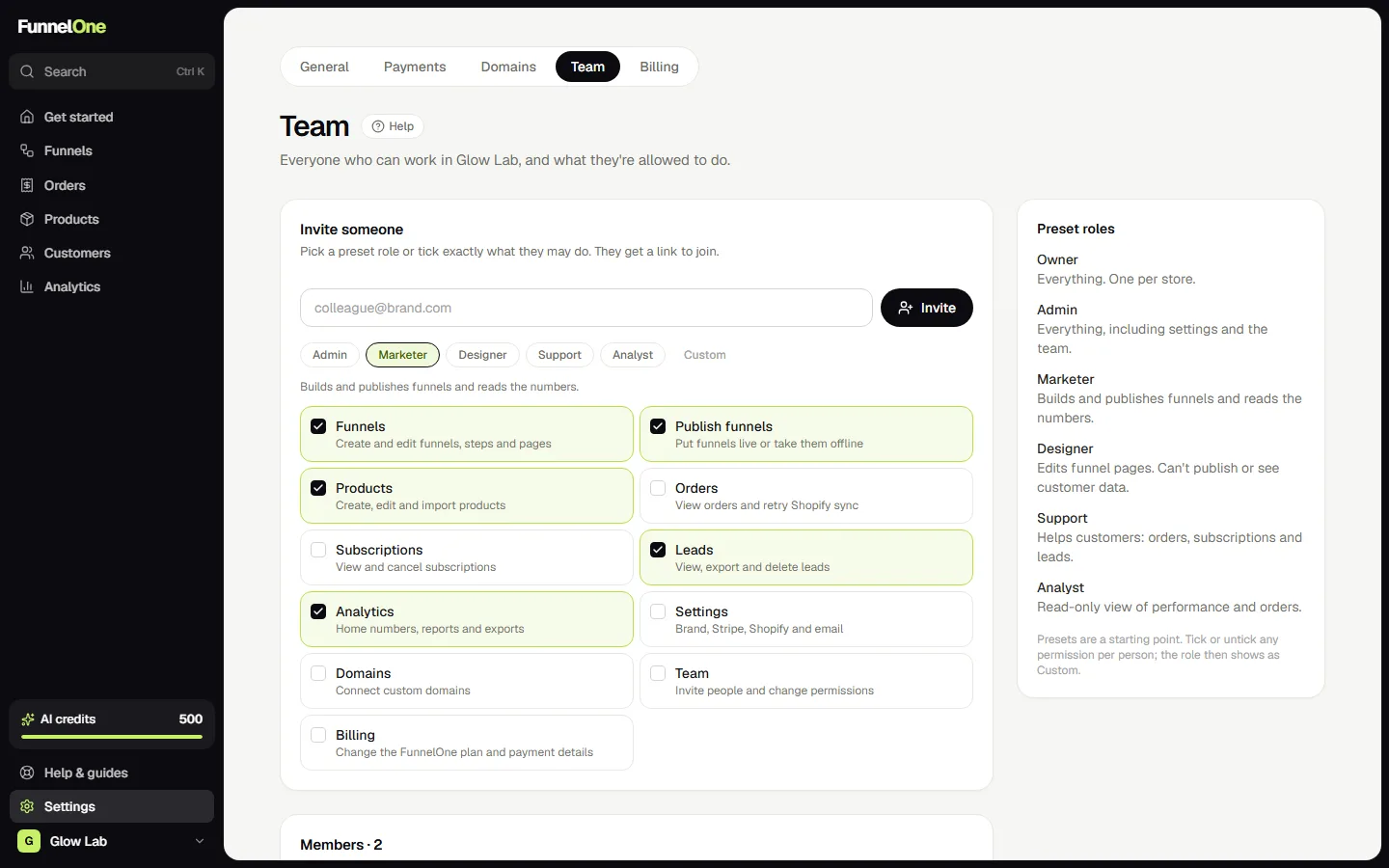
Invite your team under Settings → Team. Each person gets their own login and only sees what you allow.
Roles
Start from a role and adjust it if you want:
- Admin: everything, including settings and the team.
- Marketer: builds and publishes funnels, products, leads and analytics.
- Designer: edits funnel pages, but can't publish or see customer data.
- Support: orders, subscriptions and leads.
- Analyst: a read-only view of numbers and orders.
Fine-grained permissions
Under each person you can switch single permissions on or off: funnels, publishing, products, orders, leads, analytics, settings, domains, team and billing. Pages someone can't use disappear from their menu.
People in several stores
Someone who's in more than one store switches between them with the store menu at the bottom of the sidebar.
Was this guide helpful?
Try it in your own store
Free for 14 days. Every feature, no credit card.