Page settings: SEO, header, sticky button and custom CSS
Settings that apply to the whole page instead of one block.
1 min read · updated 1 October 2026
Open the editor and choose Page on the left. These settings apply to the whole page.
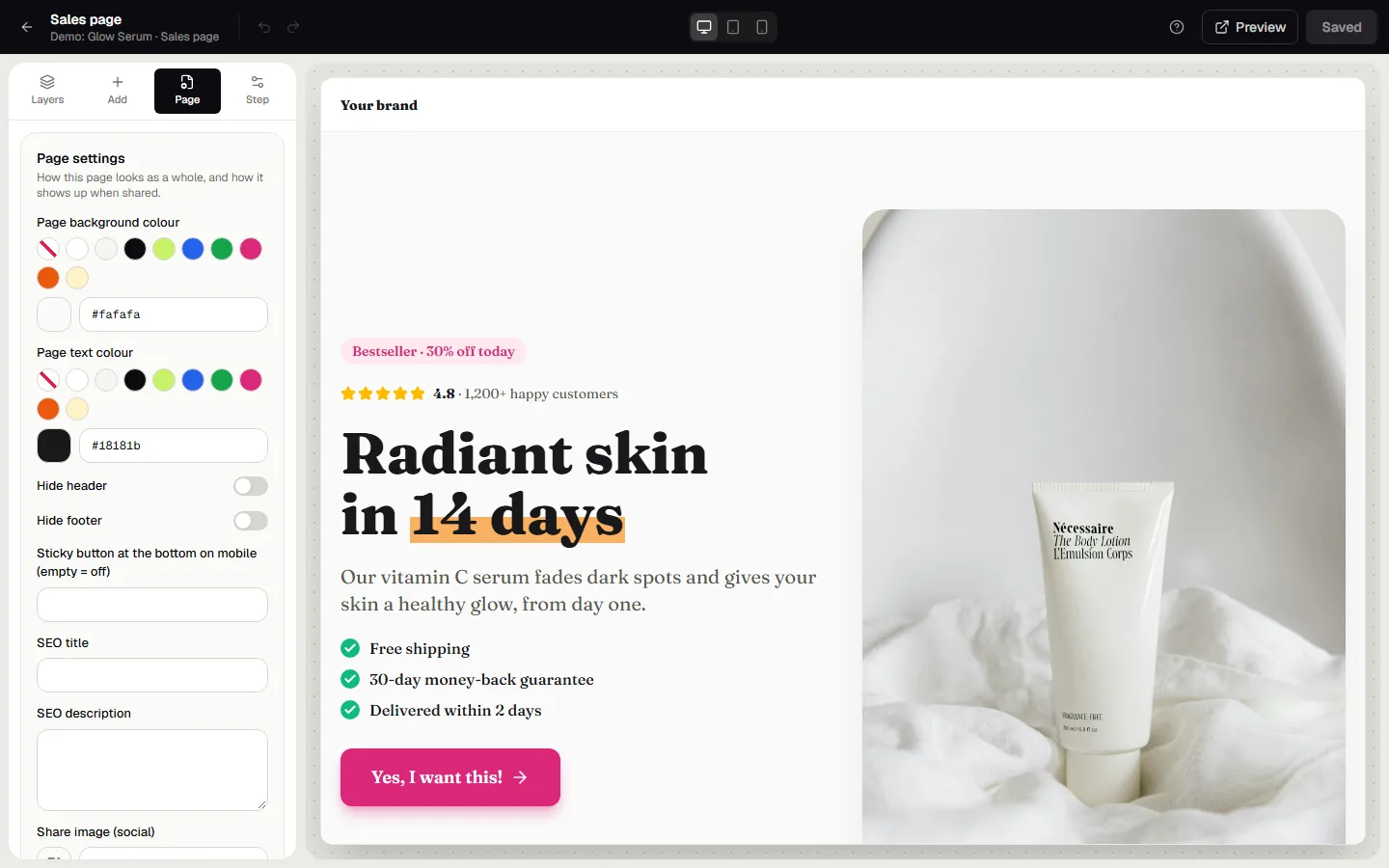
Look
- Page background colour and page text colour: the base every block starts from.
- Hide header and hide footer: useful for advertorials and landing pages without distractions. The advertorial templates do this already.
Sticky button on mobile
Type a label, for example Order now, and phones show a fixed button at the bottom of the screen. It follows the same route as your main button. Leave it empty to switch it off.
SEO and sharing
- SEO title and SEO description: what Google and browser tabs show.
- Share image: the picture people see when your link is shared on WhatsApp, Facebook or X.
Custom CSS
For the last 1%. The CSS only loads on this page. Give a block a CSS class under Style → Advanced and style it here.
Tip: keep custom CSS small. Most things, like colours, spacing, borders and fonts, are already in the Style tab.
Was this guide helpful?
Try it in your own store
Free for 14 days. Every feature, no credit card.